Jira Task Template
Software Development
Our Jira Task Template Example
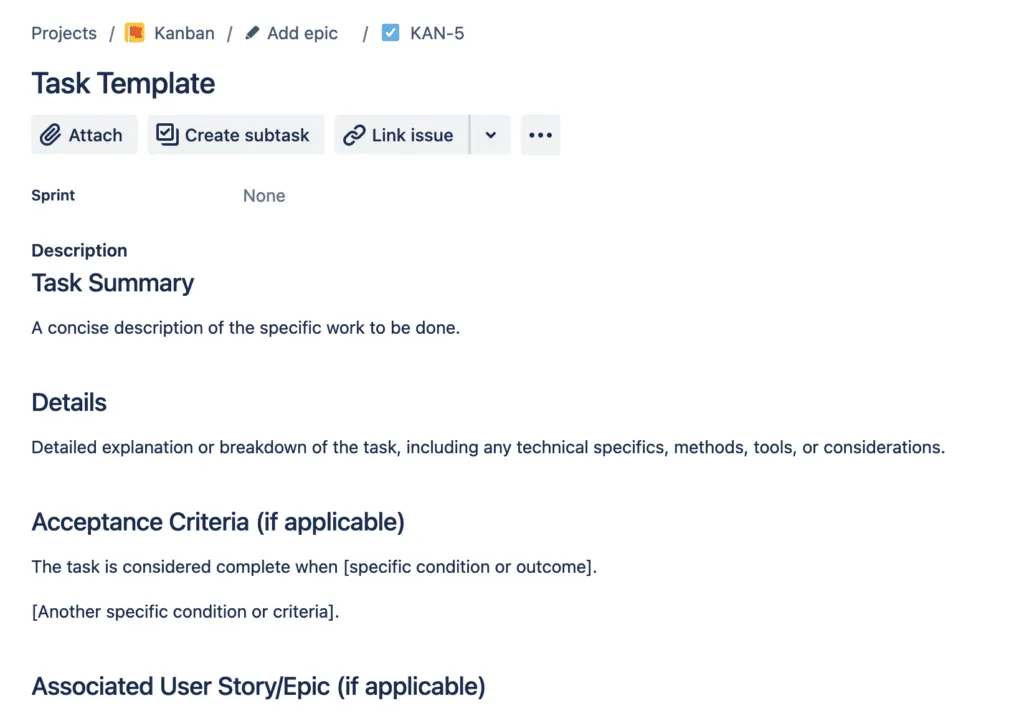
Here’s a pre-made task template for Jira. Copy and paste this example into your Jira issue while creating a task, and then save it as a template with Easy Templates app.
Task Summary
A concise description of the specific work to be done.
Details
Detailed explanation or breakdown of the task, including any technical specifics, methods, tools, or considerations.
Associated User Story/Epic (if applicable)
[JIRA-XXXX] – Link or reference to the associated user story or epic, if any.
Acceptance Criteria (if applicable)
The task is considered complete when [specific condition or outcome] [Another specific condition or criteria].
Dependencies
List any prerequisites or dependencies this task might have.
This template ensures that all relevant information about a task is captured, providing clarity for whoever is assigned to it. Modify the template as necessary to suit your team’s needs and project specifics.
What is a Jira Task in Software Development?
In software development, a Jira task is a key element for actioning specific parts of a story or epic, particularly in Agile methodologies. It’s a smaller, manageable unit, typically assigned to one team member.
How Jira Task Templates Can Boost Productivity
Jira task templates are essential for organizing tasks. They provide a consistent format, including the task’s title, detailed description, priority, assignee, and more. This uniformity is crucial for efficient task tracking and management in Jira.